
This is Part 2 of the Manipulating Tangent Curve Rhino 3D tutorial.
To go back to Part 1 of this tutorial, click here.
In Part 1, we have turn on the Control points as shown below.
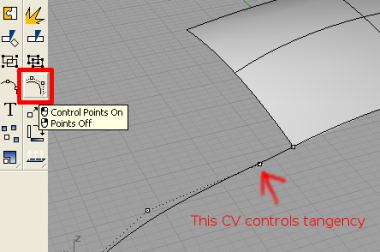
Now, we need to create the ‘construction line’ that is somewhat similar to the manipulator in Alias Studio. Go to Curve Tools >> Adjust Curve End Bulge. It is as shown below.
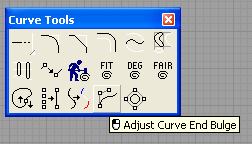
When prompted to select point to move, select the 2nd CV of the curve.
You can now move the 2nd CV along the tangent line.
The tangency of the curve will be maintained and yet its shape can be fine tuned.
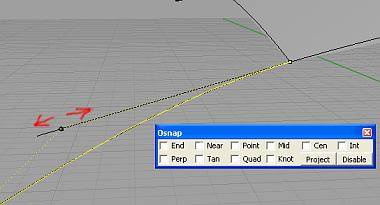
This tutorial has just illustrated the steps required to manipulate and fine-tune the shape of a curve to the edge of an adjacent surface without compromising tangency.
Hope that this little trick is useful. 🙂
To purchase Rhinoceros Surfacing Techniques Book via Amazon, click on book cover image below.

Note: The above video tutorial is not included in the book.
Was actually noticing the missing tool, compared to alias. Very useful! Thx